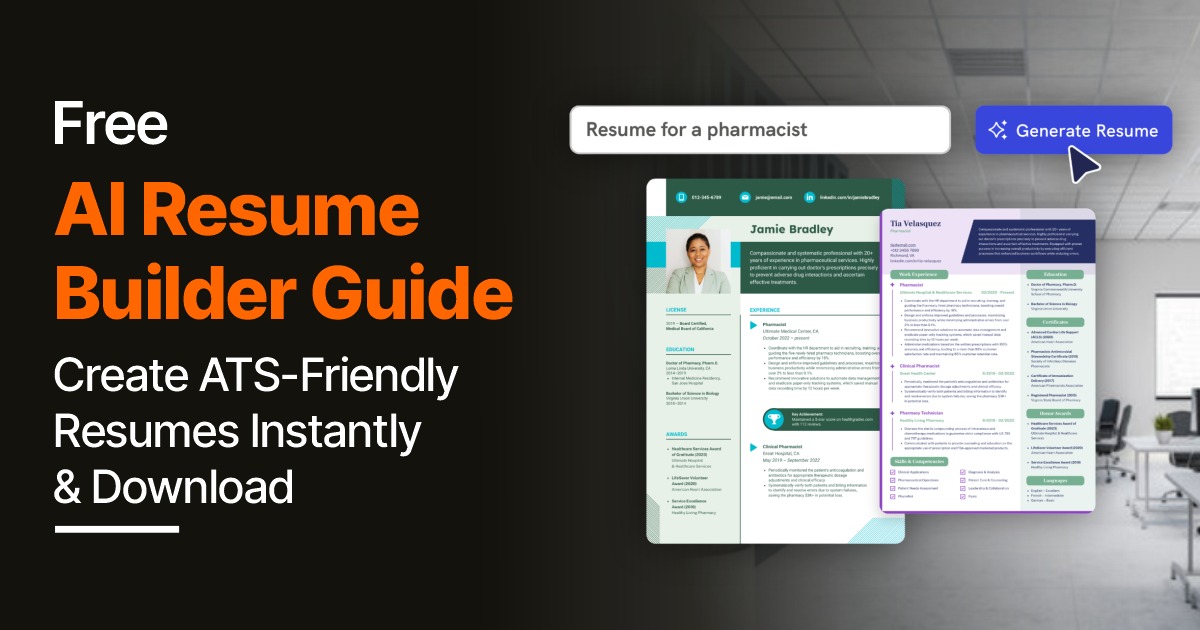
Applying to jobs and getting no response?
The hard truth: more than 75% of resumes are rejected by ATS (Applicant Tracking Systems) before a single human ever reads them. Not because you are underqualified — but because your resume isn't formatted or keyworded the way these systems expect.
This is exactly the problem Jobipo's Free AI Resume Builder was built to solve.
In this guide, you will learn exactly what an AI resume builder is, why ATS optimization matters, and how to use Jobipo's tool step by step to create a resume that gets past the filters — and gets you interviews.
Jobipo's Free AI Resume Builder helps you create a professional, ATS-friendly resume in under 10 minutes — no design skills needed. Just enter your details, let the AI write and format your resume, run the ATS score check, and download your resume instantly as a PDF or Word file. It's completely free, works without any signup, and is built specifically for the Indian job market.
What Is Jobipo's Free AI Resume Builder?
Jobipo's AI Resume Builder is a free, intelligent online tool that helps you build a professional, ATS-optimized resume in minutes — without needing any design experience, expensive software, or a professional resume writer.
Unlike basic resume templates where you just fill in blanks, Jobipo's AI actively works with you by:
- Writing professional content for your summary, work experience, and skills sections
- Suggesting the right keywords so your resume passes ATS filters at top companies
- Formatting everything automatically into a clean, recruiter-approved layout
- Scoring your resume against the specific job you are applying for
- Generating tailored bullet points that highlight your achievements — not just your duties
The result is a polished, professional, ATS-ready resume that you can download instantly — for free.
What Is an ATS-Friendly Resume — and Why It Matters
ATS stands for Applicant Tracking System — software used by companies to automatically scan, filter, and rank resumes before they reach a recruiter.
When you apply for a job on Naukri, LinkedIn, Indeed, or directly on a company's website — your resume almost always goes through an ATS first.
The ATS checks for:
- Specific keywords from the job description
- Clean, machine-readable formatting — no decorative graphics or complex layouts
- Standard section headings — Experience, Education, Skills
- Relevant job titles and skill terms matching what the employer posted
If your resume doesn't meet these criteria, it's filtered out automatically — even if you are the most qualified person in the applicant pool.
An ATS-friendly resume is one designed to clear these filters every time — and Jobipo's AI builds that for you automatically.
Why Jobipo's AI Resume Builder Is Built for Indian Job Seekers
Most resume tools are built for Western job markets — they don't understand Indian educational qualifications, Indian job titles, or the formats preferred by Indian recruiters on Naukri, LinkedIn, and company portals.
Jobipo is different. It is built specifically for India:
| Feature | What It Means for You |
|---|---|
| Indian qualification formats | B.Tech, B.Com, MBA, PGDM — all recognized and correctly formatted |
| Indian job title database | Hundreds of roles common in India's job market pre-loaded |
| Naukri & LinkedIn compatible | Resumes formatted to perform well on India's top portals |
| Hindi-context understanding | Understands career backgrounds from Indian industries |
| ATS tuned for Indian companies | Keywords and formats aligned with how Indian recruiters filter |
| Completely free | No hidden charges, no subscription required for core features |
| No signup required | Start building immediately — no account creation barrier |
What Makes an AI Resume Builder Better Than Doing It Manually?
| Factor | Manual Resume | Jobipo AI Resume Builder |
|---|---|---|
| Time required | 3–8 hours | 10–20 minutes |
| ATS optimization | Only if you know how | Automatic — built in |
| Keyword matching | You research manually | AI matches to JD instantly |
| Professional formatting | Requires design skills | Auto-handled |
| Content suggestions | You write everything | AI writes bullet points |
| Grammar and tone | You proofread manually | AI-corrected in real time |
| Multiple job versions | Very time-consuming | Generate new version in minutes |
| Cost | Free but time-expensive | 100% free |
The advantage is clear — especially for freshers, career changers, and professionals applying to multiple roles at the same time.
Step-by-Step: How to Create Your ATS-Friendly Resume on Jobipo
Here is a complete walkthrough of how to use Jobipo's Free AI Resume Builder from start to download.
Step 1: Open the Jobipo AI Resume Builder
Go to jobipo.com/resume-builder — no account creation or sign-up needed to get started.
You will see a clean, guided interface with sections for each part of your resume. The AI assistant is active from the moment you begin.
Step 2: Collect Your Information Before You Start
Having your information ready will make the process faster. Before opening the builder, keep these handy:
Personal Details:
- Full name, professional email, phone number, city/state
- LinkedIn profile URL
- GitHub or portfolio link (for tech/design roles)
Work Experience (for each job):
- Company name, your job title, joining and leaving dates
- Key tasks and responsibilities
- Any achievements with numbers — sales figures, growth percentages, team size, projects delivered
Education:
- Degree, college/university name, year of passing, percentage or CGPA
Skills:
- Technical skills — tools, software, platforms, programming languages
- Soft skills — communication, leadership, teamwork
- Certifications — name, issuing platform, year
Pro tip: Keep this in a Google Doc or phone notes app so you can copy-paste quickly into Jobipo's fields.
Step 3: Enter Your Contact Information
Fill in the first section:
- Full Name — Use your complete professional name, not nicknames
- Email — Keep it professional. yourname@gmail.com is perfectly fine
- Phone Number — Include +91 for India if you are applying internationally
- City, State — You do not need to include your full home address
- LinkedIn URL — Paste your profile link
- Portfolio / GitHub — Include if relevant to your target role
What to leave out:
- Date of birth (unless the employer asks)
- Father's name (outdated in modern resumes)
- Marital status, religion, or caste
- Passport-size photo (unless applying to hospitality or client-facing roles that request it)
Step 4: Choose an ATS-Safe Resume Template
Jobipo offers a curated set of clean, professional, ATS-optimized templates. Here's how to choose the right one:
For corporate and office roles (banking, BFSI, operations, admin): → Choose a clean single-column or minimal two-column template with white background
For tech and IT roles (software, data, engineering): → Choose a linear single-column format — these parse best through tech company ATS
For freshers and students: → Choose a template with a prominent Education and Projects section near the top
For sales, marketing, and business development: → A two-column layout with an achievement-focused design works well
Jobipo's templates are all pre-tested for ATS compatibility — every template uses standard fonts, proper heading structure, and machine-readable formatting. You cannot accidentally pick a template that will fail ATS.
Step 5: Write Your Professional Summary with AI
Your professional summary is the first section a recruiter reads — and one of the highest-weighted sections for ATS. This is where Jobipo's AI shines.
How to use the AI summary generator:
- Enter your job title (e.g., "Sales Executive", "Data Analyst", "Software Engineer")
- Select your experience level (Fresher / 1–3 Years / 3–7 Years / 7+ Years)
- Add 3 of your top skills
- Click Generate Summary — Jobipo's AI writes a professional, keyword-rich summary instantly
- Review, personalize, and add specific numbers or achievements
Example AI-generated summary for a fresher Data Analyst:
"Recent B.Tech graduate in Computer Science with strong command of Python, SQL, and data visualization using Power BI. Completed real-world projects including an IPL performance analysis dashboard and an e-commerce sales trend predictor. Eager to apply data-driven thinking and analytical skills to support business decision-making in a growth-focused organization."
Example for an experienced Sales Manager:
"Results-oriented Sales Manager with 6+ years of experience driving B2B revenue growth across FMCG and retail verticals. Consistently exceeded quarterly targets by 20–35%, managing a team of 12 field executives across Rajasthan. Strong expertise in territory expansion, client acquisition, and CRM-driven pipeline management. Seeking to bring proven leadership and market knowledge to a high-growth sales organization."
Step 6: Add Work Experience with AI-Optimized Bullet Points
This is the most critical section of your resume — and where most candidates write the weakest content.
The mistake most people make: Writing duties instead of achievements.
Wrong: "Responsible for handling customer queries" Right: "Resolved 50+ customer queries daily with 96% satisfaction rating, reducing escalation rate by 18% over 6 months"
How Jobipo's AI fixes this:
- Enter your job title and company type
- Add your key responsibilities in simple language — even rough notes work
- Click Optimize with AI — the tool rewrites each point using professional action verbs and achievement framing
- Add specific numbers wherever you can — the AI will prompt you to quantify
Action verbs Jobipo's AI uses to lead every bullet: Achieved, Analyzed, Built, Coordinated, Delivered, Designed, Drove, Enhanced, Executed, Generated, Implemented, Increased, Led, Managed, Optimized, Reduced, Scaled, Streamlined, Spearheaded
If you are a fresher with no work experience: Use the Projects and Internships section instead. Even a 4-week Internshala internship belongs here. Jobipo's AI will help you write these sections with the same professional language as a senior professional's work experience.
Step 7: Add Education, Skills, and Certifications
Education Section:
Enter in reverse chronological order — most recent first:
- Degree / Course → College / University → Year of Passing → Percentage / CGPA
- Include Class 12th only if you are a fresher (remove after you have 2+ years of experience)
- Add relevant coursework or academic projects if applying for entry-level roles
Skills Section — ATS Critical:
This section is one of the most scanned by ATS. Jobipo's AI will suggest skills automatically based on your job title — but also:
- Open the job description you are targeting
- Find the tools, technologies, and skills the employer lists
- Add every skill you genuinely have using the exact same terminology as the JD
For example: If the JD says "Power BI" — write "Power BI" — not "PowerBI" or "Microsoft BI dashboards." Exact match matters for ATS scoring.
Certifications Section:
List every relevant certification with:
- Certification name
- Issuing organization (Google, Microsoft, Coursera, NPTEL, etc.)
- Month and year of completion
Certifications signal initiative and current skill — especially important for freshers and career changers.
Step 8: Run the Jobipo ATS Score Checker
This is one of Jobipo's most powerful features — and completely free.
How it works:
- Paste the job description of the role you are applying for into the ATS Checker
- Jobipo's AI analyzes your resume against the JD in real time
- You receive an ATS match score out of 100
- The tool highlights missing keywords and formatting issues
- Fix the gaps — add relevant skills or terms you genuinely have
- Re-run until you hit 70% or above (aim for 80%+ for competitive roles)
Common issues the ATS checker catches:
- Keywords from the JD missing from your resume
- Section headings that ATS might not recognize
- Contact information placed in headers/footers (ATS often ignores these)
- Inconsistent date formats
- Skills listed as images instead of readable text (never do this)
Why this matters: Jobipo's ATS Checker is the equivalent of a recruiter reviewing your resume before you submit — for free, in seconds.
Step 9: Proofread and Finalize
AI handles 90% of the work — but always do a final human review before downloading:
- Spelling and grammar — read every line carefully
- Tense consistency — past tense for previous roles, present tense for your current job
- Accuracy — verify all dates, company names, percentages, and figures
- Length — 1 page for freshers and 0–3 years experience; 2 pages for 4+ years
- Relevance — remove anything that does not add value for this specific role
- Contact details — double-check your email and phone number are correct
A single typo in your contact information means employers literally cannot reach you. Check this twice.
Step 10: Download Your Resume — Free, Instantly
Once you are satisfied with your resume:
Click Download → Choose your format:
PDF (Recommended for most applications)
- Preserves your formatting perfectly on every device
- Accepted by the vast majority of companies and ATS systems
- Professional standard for Indian and international job applications
Word / DOCX (Use when specifically requested)
- Some older ATS systems parse Word files more accurately
- Use when a job posting explicitly asks for Word format
- Also useful if you plan to make frequent quick edits
Name your file professionally: FirstName-LastName-Resume.pdf Example: Priya-Sharma-Resume.pdf
Never submit a file named: resume_new_FINAL_v4.pdf — this signals disorganization to recruiters.
Your resume is now ready to apply.
ATS Resume Checklist — Before Every Application
Run through this before submitting your resume to any job:
Formatting:
- Clean layout — no graphics or tables in content sections
- Standard font (Arial, Calibri, or Georgia)
- Font size 10–12pt for body, 14–16pt for name
- Consistent margins (0.5" to 1" on all sides)
- Saved as PDF or DOCX as appropriate
- File named: FirstName-LastName-Resume.pdf
Content:
- Professional summary — 3–4 lines, keyword-rich
- Work experience in reverse chronological order
- Bullet points starting with action verbs
- At least 2–3 quantified achievements included
- Skills section with exact terminology from the JD
- Education in reverse order — latest first
- Certifications with issuer and year
ATS Optimization:
- ☐ ATS score checked on Jobipo — 70%+ achieved
- ☐ Keywords from JD naturally included
- ☐ No spelling or grammar errors
- ☐ Contact information in the main body — not only in header/footer
- ☐ Standard section headings used throughout
How to Use Jobipo AI Resume Builder for Freshers (Zero Experience)
If you have no work experience, do not panic. Here is how to build a strong resume as a fresher using Jobipo:
Lead with Education Put your education section before work experience. Include CGPA if 7.0 or above. List relevant coursework if you are applying to a related field.
Use the Projects Section This is your substitute for work experience. List 2–3 college or personal projects with:
- Project name and tools used
- What problem you solved or what you built
- Outcome — even academic outcomes count
Jobipo's AI will help you write these in professional, achievement-oriented language.
Add Every Internship Even short internships — 1 month on Internshala, a college placement, or a voluntary project — count as experience. Add all of them with bullet points.
List All Certifications Google, Coursera, LinkedIn Learning, NPTEL, Microsoft Learn — every relevant certification goes in. For freshers, certifications demonstrate initiative and real-world skill development.
Let AI Build Your Summary Tell Jobipo's AI you are a fresher targeting a specific role — it will write a professional summary that presents your potential confidently without any exaggeration.
How to Tailor Your Resume for Every Job in Minutes
The single biggest mistake in job searching: sending the same resume to every employer.
Jobipo makes tailoring fast and easy:
- Open the job description of your target role
- Paste it into Jobipo's ATS Checker
- See which keywords are missing from your resume
- Add relevant keywords you genuinely have — in your skills, summary, or experience sections
- Save as a new version (your master resume stays untouched)
- Download and apply
This takes 10–15 minutes per application and can double or triple your interview callback rate. Recruiters immediately notice when a resume speaks directly to their job description — and ATS systems reward it with higher scores.
Common Resume Mistakes That Fail ATS — and How Jobipo Fixes Them
| Mistake | Why It Fails ATS | How Jobipo Fixes It |
|---|---|---|
| Table-based layout | ATS scrambles table content | Jobipo uses clean, non-table formatting |
| Image-based PDF | ATS cannot read image text | Jobipo exports machine-readable PDF |
| Generic summary | Low keyword match score | AI tailors summary to your job title |
| Duties instead of achievements | Low impact, low ATS score | AI rewrites in achievement language |
| Inconsistent date formats | Parsing errors in ATS | Jobipo standardizes all dates automatically |
| Missing skills section | No keyword matches found | AI suggests and fills your skills section |
| Non-standard section headers | ATS fails to identify sections | Jobipo uses only recognized standard headers |
| Contact info only in header | ATS ignores header/footer content | Jobipo places contact in main body |
Final Thoughts
Your resume is your first impression — and in 2026, it has to impress both an ATS algorithm and the human recruiter behind it. Getting one of these right while missing the other means your application goes nowhere.
Jobipo's Free AI Resume Builder gives you both — automated ATS optimization and professional, human-quality content — in one free tool, built specifically for Indian job seekers.
Here is your complete action plan:
- Open Jobipo's Free AI Resume Builder — no signup needed
- Collect your information before you begin
- Select an ATS-safe template for your target role
- Use the AI to generate your summary and bullet points
- Add your skills using the exact terminology from the job description
- Run the ATS Score Checker — hit 70% or above
- Download as PDF, named correctly
- Create a tailored version for every job you apply to
Stop sending resumes into silence. Build smarter — and start getting called back.
Try it now → Jobipo Free AI Resume Builder — Free, instant, ATS-optimized. No signup. No design skills needed.








Comments